Bookkeepers and accounts staff can use AI safely by asking about methods, not about real figures. Ask how to reconcile a bank statement, explain an accrual or structure a monthly checklist, using invented numbers. Then apply the answer yourself in your approved accounting system. Keep real client names, bank details, account numbers and invoices out of any chat tool unless your employer has approved that exact tool. This article is general guidance for beginners, not legal, tax or accounting advice, and every employer's rules come first.
What should never go into an AI chat
Accounts work is full of information that identifies people and businesses. The safest rule is to treat anything real as off limits until your employer says otherwise. That includes:
- Names of clients, customers, suppliers and employees, together with their addresses, phone numbers or email addresses.
- Bank account numbers, card numbers, UPI IDs, IFSC and branch details linked to a person or business.
- PAN, Aadhaar, GSTIN, passport or other ID numbers.
- Passwords, one-time codes, online banking details and software licence keys.
- Real invoices, bank statements, payroll sheets, ledgers and trial balances, including screenshots and photographed pages.
- Unpublished results, audit queries and anything covered by a confidentiality agreement.
Screenshots and uploaded files count too. A spreadsheet upload can carry far more than the cells you were thinking about, including hidden sheets and file properties.
Why this matters under workplace rules and the law
Your employer or your firm's clients may have contracts, confidentiality terms and written policies about where data can go. Typing real data into an unapproved tool can break those rules even if the tool seems harmless. In India, the Digital Personal Data Protection Act, 2023 deals with digital personal data. I was not able to open the Act's text for this article, so check its current text and status on indiacode.nic.in or meity.gov.in. Ask your employer how it applies to your work. In short, you can be held responsible for how you handle other people's data, so ask before you paste.
Also remember that AI products differ by plan. OpenAI's help centre says conversations on personal plans may be used to improve its models unless you turn that setting off. It says business and enterprise workspaces are not used for training by default. Anthropic's privacy centre makes a similar split between consumer and commercial products. Settings change, so read each provider's page. Your employer decides which tool is approved, not the settings alone.
Ask about methods, not your real numbers
The most useful questions for an assistant are about how to do something. You can describe a situation in general terms and use round, invented amounts.
- How do I reconcile a bank statement with a cash book when three entries do not match?
- Explain the difference between accrued expenses and prepaid expenses, with a small example.
- Suggest a month-end checklist for a small shop with cash, UPI and supplier credit.
- What is a sensible way to record a customer advance before the invoice is raised?
- Show me how a trial balance should behave when debits and credits do not agree, and how to hunt for the gap.
A worked example with made-up figures
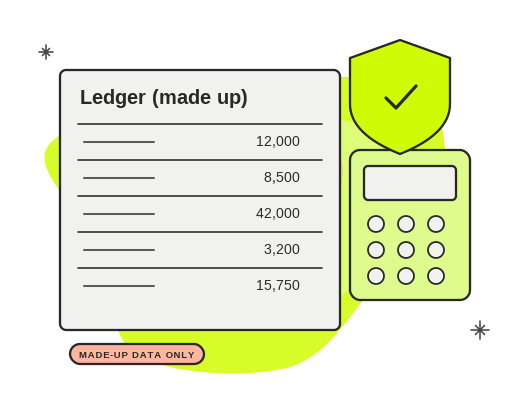
Suppose your cash book shows a closing balance of Rs 50,000 and the bank statement shows Rs 47,500. Instead of pasting either document, you ask: "My cash book balance is Rs 50,000 and the bank statement is Rs 47,500. Give me a step-by-step method to find the Rs 2,500 difference, such as unpresented cheques, bank charges and deposits not yet credited. Use an example with invented figures."
The assistant explains the method and may suggest a layout. You then do the work on your real records, inside your approved software. For instance, you might find a Rs 2,000 deposit the bank has not yet credited. You might also find Rs 500 of bank charges not yet entered in your cash book. Together they explain the gap. Your real figures never left your system, and the logic was still useful.
How to anonymise a problem
- Strip every name and replace it with a label such as Client A or Supplier 1.
- Remove all identifiers: account numbers, PAN, GSTIN, invoice numbers, addresses and email addresses.
- Change dates to generic ones, such as Day 1 and Day 15, unless the exact date is the point.
- Replace amounts with round invented numbers that keep the same pattern and proportions.
- Re-read the final text as if a stranger will see it. If anything could point to a real person or business, change it.
Always check by hand
Assistants can write fluent explanations that contain mistakes, including wrong arithmetic and invented rules. Recalculate any total yourself and compare the method to your accounting software's own help. Ask a senior colleague or a qualified accountant about tax, filing and compliance. Do not rely on an AI answer for a tax position or a filing deadline.
Follow your employer's policy
Good to know
Never type real customer, patient, bank, account, card, ID, password or other personal or confidential information into an AI tool unless your employer has approved that exact tool. Doing so can break workplace rules and data-protection law, and you can be held responsible. Use made-up or anonymised examples, like the Rs 50,000 and Rs 47,500 figures above.
If your workplace has no written AI policy, ask your supervisor in writing which tools are allowed and what may be entered. Until you have an answer, use only invented examples.
Official pages to check
- help.openai.com: the Data Controls FAQ, read while writing this, for how personal and business plans handle conversations.
- privacy.claude.com: the article on whether your data is used for model training, also read.
- indiacode.nic.in and meity.gov.in: official sources for the Digital Personal Data Protection Act, 2023.
- Your employer's data and AI policy.
The finance courses below let you practise AI on finance tasks with safe, made-up data.
Common questions
Can I paste my client's ledger into ChatGPT or Claude to get help?
Not unless your employer has approved that exact tool for client data. Ask about the method with made-up figures instead. Consumer and business versions of AI products have different data terms, so check the provider's own data controls page and your firm's policy.
How do I make a real problem safe to ask about?
Replace names, account numbers, GSTIN or PAN values and dates with placeholders, and change the amounts to round invented numbers that keep the same shape. If you are still unsure whether it is safe, do not paste it and ask your supervisor.
Can I trust the numbers AI gives me?
Treat them as a draft. Assistants can make arithmetic and rule mistakes while sounding sure. Recalculate by hand or in your accounting software, and confirm tax or legal points with a qualified professional.
Official pages to check
AI tools change quickly. Check the vendor's current help page before you act, and review anything an AI tool produces before you rely on it.