You can use AI to learn how a budget works without ever sharing a real figure. Ask it to explain the parts using invented numbers, then build the budget yourself in a spreadsheet and check every total. Below is that approach, why bank statements should stay out of AI chats, and where to find official money guidance. It does not give financial advice.
What a budget actually is
A budget is a plan that compares the money coming in with the money going out over a period, usually a month. Official consumer finance resources, such as worksheets from the US Consumer Financial Protection Bureau, describe the same basic steps. List your income, list your expenses and subtract one from the other. If spending is higher than income, look for costs you could reduce.
Some guides also suggest sorting spending into needs, wants and savings. That is a teaching idea, not a rule for your life, and it will not suit everyone.
Step 1: Ask AI to explain the parts
Good to know
Try this prompt: "Explain a monthly budget to a complete beginner. Use a made-up person with a take-home income of 2,000 a month. Show income, fixed costs, flexible costs and savings, and explain each in one sentence."
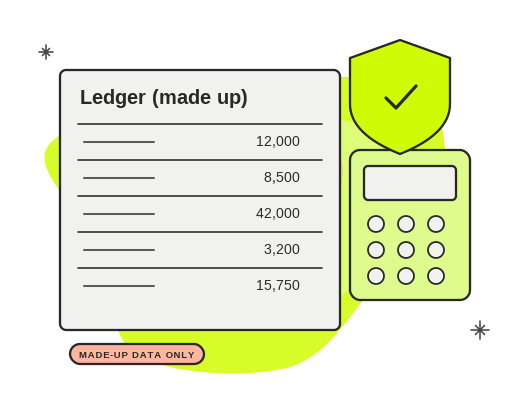
Notice that the numbers are invented. You learn the structure without exposing anything about your own money. Ask follow-up questions until the terms make sense, such as "what is the difference between fixed and flexible costs?"
Step 2: Build it yourself in a spreadsheet
Open a blank spreadsheet and type the structure in by hand. Doing it yourself helps you understand it, and you can see where each number comes from.
- In column A, list your categories: Income, Rent, Utilities, Groceries, Transport, Phone, Fun, Savings.
- In column B, type the made-up monthly amounts.
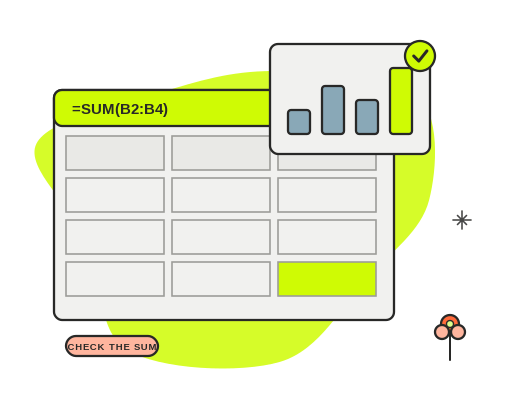
- Add a total for income and a total for expenses with a sum formula.
- In a new cell, subtract expenses from income to see what is left.
- Change one number and watch the result move.
If you are unsure how to write a formula, ask the AI to explain it, then type it yourself. Learning that way is slower, and it sticks.
A worked example with invented figures
Imagine a made-up person, Jo, with 2,000 coming in each month. Jo's invented costs are rent 800, utilities 150, groceries 350, transport 120, phone 30 and fun 200. Savings are set at 200.
Expenses plus savings add up to 1,850. Subtract that from 2,000 and 150 is left over. Now Jo imagines rent rising to 900. The leftover drops to 50. This tiny test shows why a buffer matters. You can try the same "what if" with your own structure, using round numbers, without telling anyone your real ones.
Step 3: Check the sums
AI tools can sound sure and still make arithmetic errors. Always add the numbers yourself or let the spreadsheet do it. If the tool gives a total, compare it with your sheet. When they differ, trust the spreadsheet after checking your own entries.
Why you should not paste bank statements
A bank statement can include your full name, address, account numbers, and a record of where you shop and who you pay. That is sensitive information. Do not type or upload it into an AI tool unless your bank, employer or provider has approved that tool for that purpose. The same goes for card numbers, passwords, tax or ID numbers, and anyone else's financial details.
You do not need your real data to learn the method. Once you understand the structure, do the real version privately in your own spreadsheet or banking app. Many banks and spreadsheet tools show spending patterns without sharing your data with a chatbot.
Where to get real financial advice
This article teaches how a budget works. It is not personal financial, tax or legal advice, and an AI assistant cannot give you that either. If you have debt, big decisions or money worries, talk to a qualified adviser or an official, free money guidance service. Look for a government or regulator website. Be wary of anyone who asks for payment up front or promises quick results.
Ideas for practice that need no real data
Try inventing two people with different situations, such as a student with a part-time job and a family with two children. Ask the tool to explain how their budgets might differ in shape, then build both in your spreadsheet. You will learn which costs are fixed, which can move and why a small buffer helps. None of this needs a single real figure from your own life.
A quick safety checklist
- Use invented numbers whenever you ask an AI tool about money.
- Keep real statements, card details and passwords out of the chat.
- Do the real budget in a spreadsheet you control.
- Check every total yourself.
- Verify any rule or figure the tool quotes with an official source.
- Be wary of messages offering money help that ask for upfront payment. They can be scams.
Official pages to check
- consumerfinance.gov, for free budget worksheets (I saw these listed in search results but did not open them, so check the current versions).
- consumer.ftc.gov, for warning signs of scams, including unusual payment requests.
- ncsc.gov.uk, for account safety tips such as strong passwords and two-step verification.
If you would like to practise this safely, the courses below use made-up examples throughout.
Common questions
Should I upload my bank statement to an AI tool?
No, not unless your bank or employer has approved that tool for that use. Statements hold account numbers, names and spending habits. Learn with made-up numbers, then do your real budget privately in a spreadsheet.
Can AI tell me how much I should save?
It can explain common budgeting ideas, but it does not know your situation. This article gives no financial advice. For personal decisions, speak to a qualified, regulated adviser or an official money guidance service in your country.
Is a spreadsheet really better than asking the AI to do the sums?
For learning and checking, yes. In a spreadsheet you can see every number and formula. AI tools can make arithmetic mistakes, so you should always check the totals yourself.
Official pages to check
AI tools change quickly. Check the vendor's current help page before you act, and review anything an AI tool produces before you rely on it.