OpenAI Codex is an AI agent that works on tasks for you, most often writing and changing software. It reports what it did so you can review the changes. It is built mainly for developers, so non-programmers should treat it as an optional experiment, not a starting point. Below are who it suits, a harmless first task, how to review its changes and when to skip it. Product pages and their addresses change quickly, so verify details on the official pages at the end.
What Codex is
OpenAI introduced the Codex app as a desktop command centre for managing several agents at once. Its announcement said agents run in separate threads grouped by project, each on an isolated copy of the files so they do not conflict. You can review the differences between old and new versions, comment on them and open them in your editor. The announcement said the app launched on macOS and was later updated to add Windows.
The Codex documentation lists several places it runs, including a ChatGPT desktop app, mobile app, the web, a command-line tool, an IDE extension and a cloud version. OpenAI also describes skills that let Codex handle non-coding work such as research, writing and documents. It also describes automations that run on a schedule, with results waiting in a review queue.
Who it suits
- People who already work with websites, spreadsheets with formulas, scripts or data files and want help changing them.
- Learners who are curious about how software gets built and are happy to read what the tool did.
- Teams whose organisation has approved it and set rules for what it can touch.
OpenAI's announcement describes the intended audience as developers and enterprises doing software work, with an aim of reaching broader knowledge work. If your needs are everyday writing, summarising or planning, an ordinary chat assistant is usually simpler.
One harmless first task
The goal of a first task is to see how an agent works with no risk. Use a brand-new practice folder and files you created for the purpose.
- Make a folder called codex-practice containing one plain text file, shopping-list.txt, with ten made-up items in random order.
- Open the Codex app or the surface you have access to, and choose only that folder as the project. Do not pick your Documents folder or a work project.
- Keep the default sandbox settings, which OpenAI describes as limiting edits to the working folder and asking before elevated actions. Do not switch on anything that skips approvals.
- Ask: "Sort the items in shopping-list.txt alphabetically and save the result as sorted-list.txt. Do not change the original file."
- When it asks permission for anything beyond that, read the request. If it wants network access or something you do not understand, say no.
- Review the result using the steps below.
How to review the changes
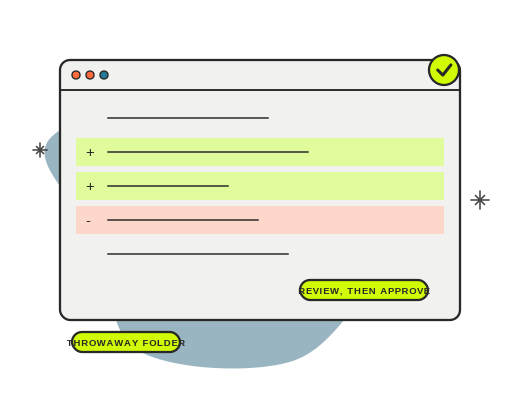
Codex shows differences, meaning a side-by-side or marked-up view of what was added and removed. You do not need to understand code to run a basic check, you need to ask the right questions.
- Which files changed? Only the ones you expected should appear. A new sorted-list.txt is fine. Changes to other files are a reason to stop.
- Is the original untouched? Open shopping-list.txt and confirm it still looks the same.
- Is the result correct? Count the items. Are all ten present, and is the order right?
- Did it explain what it did in terms you can follow? If not, ask it to explain again in plain words.
- Did it ask for permissions you did not expect?
- Can you undo it? Keep a copy of anything you care about before every task.
Good to know
Never accept changes you cannot explain to someone else. If you cannot tell what a change does, ask Codex to explain it in plain language, or ask a colleague.
When to skip Codex
- Your task is writing, summarising, planning or answering questions. A chat assistant is simpler and carries less risk.
- The work involves confidential, regulated or personal data, and your organisation has not approved the tool.
- You would be pointing it at the only copy of important files, or at a live website or database.
- You do not have time to review what it produces. Unreviewed changes are where mistakes slip through.
- You are not sure what a permission request means. Pause until you do.
Plans, platforms and what to check
OpenAI's announcement said Codex usage is included with several ChatGPT plans, with extra credits available and temporary access for some other users. Because that kind of offer changes, check the current pricing page rather than relying on this article. The same applies to which operating systems and surfaces are supported.
A short example of a sensible second task
Once the first task has gone well, try something slightly larger in the same practice folder. For example, make a text file of fifteen made-up contacts with inconsistent capitalisation. Ask Codex to tidy the names into a new file and leave the original alone. Review it the same way: check which files changed, compare a few lines against the original and ask for a plain-language explanation. Only widen the scope one step at a time, and stop if the permissions it asks for grow faster than your confidence.
Official sources to check
- openai.com/index/introducing-the-codex-app (OpenAI announcement of the Codex app)
- learn.chatgpt.com/docs (the Codex documentation; developers.openai.com/codex redirected here when I checked)
Our course on checking and using AI results gives guided practice at reviewing output before you trust it.
Common questions
Do I need to know how to code to use Codex?
Codex was designed mainly for software work, so it fits developers best. OpenAI says it wants to expand into broader knowledge work, and the docs now frame it more generally, but a beginner should expect a learning curve and start with simple, low-risk tasks.
Does Codex change my files without asking?
OpenAI says the Codex app uses a sandbox. By default agents can edit files only in their working folder or branch, and must ask before commands that need elevated access, such as network access. Check the current permissions documentation, because settings can change.
Which plans include Codex?
OpenAI's announcement said usage is included with ChatGPT Plus, Pro, Business, Enterprise and Edu plans, with limited-time access for some other users. That may have changed, so check the official pricing page.
Official pages to check
AI tools change quickly. Check the vendor's current help page before you act, and review anything an AI tool produces before you rely on it.