Review your AI-use policy at least once a year, and again whenever you adopt a new tool or an existing tool gains a major new feature. Bring together the policy owner, IT or security, data protection, a legal or compliance contact and a few everyday users, then re-check seven areas: approved tools, data rules, connectors and browser assistants, agents and automations, human review points, record-keeping and training. Record every change in a short log and tell staff in plain language. This is a general checklist, not legal advice, and rules differ by country and sector, so confirm your obligations with a qualified professional.
When to review
A fixed annual review catches slow drift. Triggers catch fast change. Tools in this area change quickly, so a policy written for last year's tools may not describe what staff can do today. Review sooner when any of these happen:
- A new AI tool is proposed, trialled or adopted.
- A tool you already approve adds a feature that reaches further, such as access to files, email or the web.
- You change supplier, plan or settings.
- An incident or near miss occurs, such as someone pasting something they should not have.
- Your regulator, customers or contracts introduce new expectations.
Who to involve
One person should own the policy and the review. Around them, ask IT or security about how tools are configured, data protection or privacy staff about personal data, legal or compliance about contracts and obligations, HR about training and staff conduct, and at least two ordinary users from different teams. Ask the users what they do in practice, not what the policy says. The gap between the two is usually where the real risk sits.
The review in seven steps
- Approved tools. List every tool currently approved, by whom, for what purpose and on which plan or settings. Remove anything unused. Check whether people are using tools that are not on the list, and ask why before reacting.
- Data rules. Re-state what may and may not be entered into each tool, using examples from your own work. Check that the categories still match what the organisation holds, such as customer records, staff data, financial figures and unreleased plans.
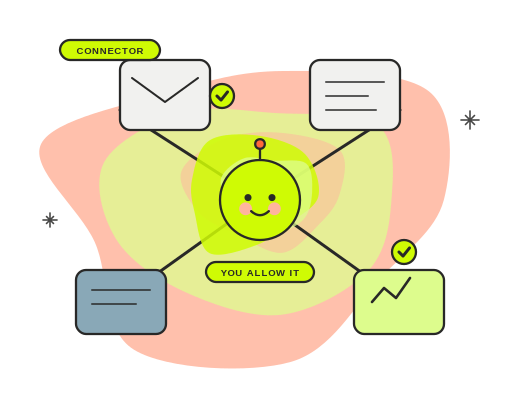
- Connectors and browser assistants. If a tool can read files, email, calendars or web pages, decide what it may reach, who can switch that on and how access is removed. Check what the tool can do once connected, not only what it can read.
- Agents and automations. Where a tool can take actions on its own, list what actions are allowed, which need a named person's approval first, and how a run can be stopped. Make sure someone owns each automation.
- Human review points. State which outputs must be checked by a person before use, such as anything sent to customers, published, used in a decision about a person, or involving money or safety. Say who checks and what they look for.
- Record-keeping. Decide what you keep: which tools are in use, notable decisions, incidents and review dates. Check how long tool providers retain content and whether that fits your own retention rules.
- Training. Confirm everyone who uses these tools has had current guidance, and that new starters get it. Check that the training matches the current policy and tools.
A worked example
A 60-person accounts firm reviews its policy in November. The owner, the office manager, meets the outsourced IT adviser and two staff. They discover the approved assistant has gained a setting that lets it read files in a shared drive. The old policy never mentioned file access. They decide that file access stays off by default, that any team wanting it must ask the owner, and that it can only be used on folders that do not hold client records. They add a line to the data rules and update the training slide. Nothing here required a dramatic rewrite. It required someone to look.
A short change log template
Keep a log at the end of the policy so readers can see what changed and why. One row per change is enough:
- Date of change.
- What changed, in one sentence.
- Why: the trigger, such as a new tool feature or an incident.
- Who approved it and their role.
- Who was told and how.
- Next review date.
How to tell staff
- Lead with what is different for them, in a few plain sentences, not with the whole document.
- Give two or three real examples of allowed and not allowed use.
- Say who to ask when something is unclear, and make that person easy to reach.
- Share the change log entry, so people can see the reason as well as the rule.
- Repeat the message where people actually work, such as a team meeting, and not only by email.
- Ask for feedback after a month and note what confused people.
Good to know
Write the policy so a new starter can follow it on their first day. If it needs a specialist to interpret it, people will guess, and guessing is how data ends up in the wrong place.
Common mistakes
- Banning everything, which tends to push use out of sight instead of stopping it.
- Writing rules for specific products that go out of date, instead of rules about data, access and review.
- Forgetting that features appear inside tools you already approved.
- Having no named owner for automations that run without anyone looking.
- Treating the policy as finished after publishing it.
Check current information from your providers when you review, because features, settings and terms change often. The related courses cover connectors, policy writing and workplace rules in more depth.
Common questions
How often should an AI-use policy be reviewed?
At least once a year, and also whenever you adopt a new tool or a tool you already use adds a significant feature. A short check at those moments is better than waiting for the annual review.
Who should be involved in a policy review?
The policy owner, IT or security, whoever handles data protection, a legal or compliance contact, and a few people who actually use the tools. Frontline users often spot gaps that managers do not.
Is this article legal advice?
No. It is a general checklist. Laws and rules differ by country and sector, so take advice from a qualified professional about your own obligations.
Official pages to check
AI tools change quickly. Check the vendor's current help page before you act, and review anything an AI tool produces before you rely on it.