Vibe coding means building software by describing it in plain language and letting an AI tool write the code. Replit, Lovable, Bolt and v0 are four tools people use for this. This guide says what each one describes itself as, gives you a checklist for choosing, and shows a simple habit that keeps beginners safe. Plans, features and limits differ and change often, so check each tool's current documentation.
What each tool says it is
We read each tool's own documentation. These are their descriptions in our words, not a verdict on quality.
- Replit: its documentation describes turning ideas, everyday work and intelligence into useful outcomes. You can start with a chat, build and publish apps and sites, or design interfaces, on the web, desktop or mobile.
- Lovable: its documentation calls it a full-stack AI development platform for building, iterating on and deploying web applications using natural language. It says projects produce editable code that can sync to GitHub, GitLab or Bitbucket.
- Bolt: its help centre says Bolt builds websites and apps, such as marketing sites, portfolios, online stores, dashboards and internal tools. It highlights Plan Mode, which lets you talk through an idea before any code is written.
- v0: its documentation describes shipping features, refining designs and creating live prototypes with a prompt, with deployment on Vercel's infrastructure and an option to open a pull request for review.
These overlap, and all four keep changing. Treat the descriptions above as a starting point and read the current pages before you commit.
How to choose: a checklist
- What do you want to make? A landing page, a small tool, a dashboard, or an app with accounts and a database.
- Do you want to plan first? Some tools have a planning mode, such as Bolt's Plan Mode, or planning features in Replit.
- Can you see and own the code? Check whether you can export it or sync it to a Git service.
- Where does it run? Check the hosting and publishing options and any custom domain steps.
- How does it handle data? Check the database options and how access to user data is controlled.
- How does it handle secrets, such as API keys? Look for a built-in place to store them.
- What does it cost to use? Plans and limits differ and change, so read the current pricing page yourself.
- Is the learning curve right for you? Try the free option or a quick tutorial on a tiny project.
Spend an hour on the same small project in two tools. You will learn more from that than from any comparison.
A habit that works: plan, prompt, test, ship
Beginners get into trouble when they type one huge request and hope. A smaller loop works better.
- Plan. Write down in plain words what the app must do, who uses it, and what data it holds. Bolt's documentation recommends talking through your idea in Plan Mode before code is written. Even without that feature, you can ask any tool to outline a plan first.
- Prompt. Ask for one small piece at a time. Bolt's help centre suggests finishing and testing each layer before starting the next.
- Test. Click through every screen yourself. Try wrong inputs, empty fields and a second user. Use the tool's preview, and its error diagnostics where offered.
- Ship. Publish only after the checks below, and keep a way to go back. Version history helps if a change breaks something.
Safety: secrets, data and review
Three habits matter most.
Secrets first. A secret is a password, token or API key. Never paste one into a chat prompt or into code that others can see. Use the tool's secrets feature instead. Bolt has a documented Secrets page for its projects, and Replit's documentation covers adding secrets to environments and security for repository contributions. Lovable's documentation lists API key protection among its security features.
Data next. If your app stores information about people, decide who may see what. Lovable's documentation has a page on row level security policies, which decide which rows each user can see or change. Bolt's documentation says it scans its Cloud database for issues such as an open permission or a missing RLS policy. A tool can flag problems, but you decide what is acceptable.
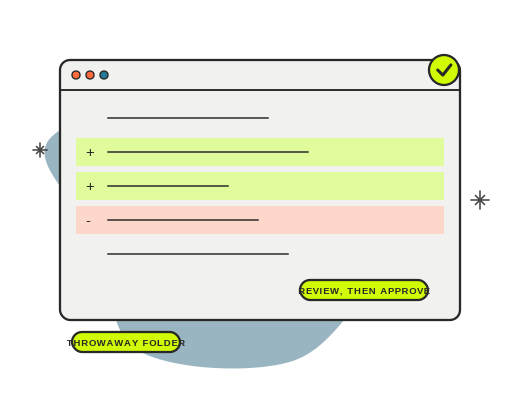
Review last. Before you publish, run any built-in security check the tool offers. Lovable's documentation describes built-in security scans, and Bolt's help centre has a page on checking a project's security before launch. Then ask a person who understands security to look at anything that handles logins, payments or personal data. v0's documentation describes permission modes for terminal commands, called Ask, Auto and Full, so you can limit how much freedom the tool has.
- Use made-up data while you learn.
- Never put real customer data into a prototype.
- Keep secrets out of prompts, screenshots and shared links.
- Turn on the tool's security check before you publish.
- Keep a copy of your code or a version history.
- Do not accept changes you cannot explain at least in outline.
Where a backend fits
Simple pages need no database. Apps with sign-in and saved data need a backend. Several of these tools connect to services such as Supabase, and v0 deploys on Vercel. Our Supabase and Vercel courses explain those pieces if you want to understand what the tool is doing for you.
Features, plans and limits differ by tool and by plan, and they change over time. Treat every claim about a tool, including ours, as something to check on its current page.
Official pages to check
- Official pages to check: docs.replit.com, docs.lovable.dev, support.bolt.new, and v0.app/docs. For safety topics, see the security pages inside each of those sites.
Good to know
Start with a tiny project you can finish in an hour, such as a one-page tool with no login and no real data.
Our vibe coding courses cover the basics first and then each tool, with safe practice projects.
Common questions
What is vibe coding?
Vibe coding means describing what you want in plain language and letting an AI tool write the code. You guide it with prompts, look at the result, and ask for changes. It is fast for prototypes, but you still need to check what it builds.
Do I need to know how to code?
You can start without it. Still, learning to read basic code, test your app and spot unsafe choices makes your results far better, and it matters more as your app handles real people and real data.
Which tool should I pick?
We do not rank them. Pick by your goal, the tool's own documentation, how it handles data, hosting and code export, and what you can afford. Try a small project in one or two tools and compare.
Is it safe to build a real business app this way?
It can be, with care. Treat the output as a draft written by someone who needs review. Protect secrets, control who can see data, test properly, and have a person who understands the risks check it before real users arrive.
Official pages to check
AI tools change quickly. Check the vendor's current help page before you act, and review anything an AI tool produces before you rely on it.