The sensible way to choose an AI coding tool is to start from your job, not from a ranking. Decide what you want to build, how you are happy to pay and how much you want to approve before anything changes. Then compare the official descriptions of the tools you are considering against those answers. Below is that method, applied to four tools that each have official pages: Claude Code, Cursor, Google Antigravity and Kimi. It does not say any is best. Features and prices change often, so check each vendor's own pages.
Start with the job you want done
Write one sentence about the work. Examples: build a small club website, automate a spreadsheet clean-up with a script, or understand a project you inherited. A tiny, low-risk job gives you a fair test. Avoid starting with anything connected to live customers, payments or real personal data.
What the official pages say about each tool
These summaries come from each vendor's own pages as I read them in November 2026. They are descriptions, not endorsements.
- Claude Code: Anthropic's docs describe an agentic coding tool that reads your codebase, edits files, runs commands and connects to development tools. It is offered in the terminal, in editor extensions, as a desktop app and on the web. The docs say most surfaces need a Claude subscription or an Anthropic Console account.
- Cursor: its documentation calls it a coding agent and AI editor that helps you understand code, build features, fix bugs and review changes. It has a section on reviewing changes. It refers readers to a separate models and pricing page.
- Google Antigravity: Google calls it an agentic development platform with an app, a command line tool, an IDE and a Python SDK. The page says developers can use it at no charge and mentions artifacts and verification tests. It points organisations to separate documentation.
- Kimi: Kimi Code CLI is described as a terminal AI agent that reads and changes code and runs shell commands. Login uses a Kimi Code sign-in or a platform API key. The page links to a separate membership benefits page rather than stating prices.
Compare on four questions
- Where does it run? A terminal tool suits you if you are happy typing commands. An editor or app may feel more familiar. Several of these offer more than one form, so check which one you would actually use.
- How do you pay? Compare the cost model, not just the number: free access, a subscription, usage-based charges or an API key you pay for separately. Read the official pricing page the day you decide, because plans change.
- What does it do without asking? Look for how each tool handles file edits and commands. Claude Code's permissions page says that by default it asks before running shell commands or modifying files. Kimi's guide says read-only actions run automatically, while changes and shell commands need confirmation. I found no explicit approval description for Cursor or Antigravity on the pages I read, so check their security and agent documentation.
- How do you review the result? Look for diffs, change lists and a way to undo. Cursor has a review section, Claude Code mentions inline diffs in editors, and Antigravity mentions artifacts. Whatever you pick, you should be able to read every change before keeping it.
A worked example: a simple scoring grid
Take a beginner who wants to build a small personal website. On paper, list the four tools across the top and four questions down the side. Score each one from 1 to 3 for your own needs: Do I want terminal or editor? Is the cost model clear to me? Does it ask before changing files? Can I see and undo changes? Suppose the terminal feels unfamiliar, so a tool with an editor scores higher. Suppose you are comfortable with a free tier or monthly subscription, not usage charges. Your grid might point to a different tool from someone else's. That is the point: it reflects your situation. Then run the same ten-minute task in your top two and compare the experience.
Safety habits that apply to every tool
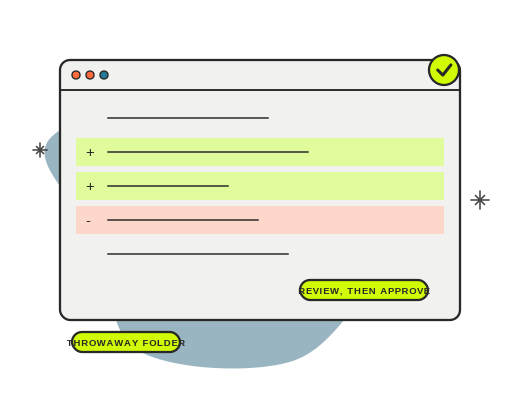
- Use a throwaway project or a copy, and keep it under version control so you can undo changes.
- Approve actions one at a time while you are learning, and read each command before saying yes.
- Keep passwords, API keys and private files out of the folder the tool can read.
- Check what the vendor says about how your code and prompts are used, and whether that differs between personal and business plans. Vendors often publish separate consumer and business privacy information, so check each one.
- Treat generated code as a draft. Run it, test it, and ask someone experienced to review anything that will be used by other people.
Good to know
Never type real customer, patient, bank, account, card, ID, password or other personal or confidential information into an AI tool unless your employer has approved that exact tool. Doing so can break workplace rules and data-protection law, and you can be held responsible. Use made-up or anonymised examples, such as a fake customer list with invented names.
Official pages to check
- code.claude.com/docs: the overview and permissions pages, both read.
- cursor.com/docs: the main documentation page, read.
- antigravity.google: Google's product page, read.
- kimi.com/code/docs: the Kimi Code CLI getting started guide, read.
- Each vendor's pricing and privacy pages, which I did not read in full and which change often.
The build courses below take it one small project at a time.
Common questions
Which AI coding tool is best for a complete beginner?
There is no single answer, and I do not rank them. Pick by your job, the cost model you are comfortable with and how clearly the tool shows you changes before they happen. Try the same small task in one or two, using a throwaway project.
Are these tools free?
Pricing differs and changes. Google's Antigravity page says developers can use it at no charge, while Claude Code, Cursor and Kimi point to subscriptions, accounts or pricing pages. Read each official pricing page on the day you decide.
Is it safe to let an AI tool change my files?
It is safer when you use version control, work on a copy, read every change and approve actions one at a time. Never include passwords, keys or real personal data in a project the tool can read.
Official pages to check
AI tools change quickly. Check the vendor's current help page before you act, and review anything an AI tool produces before you rely on it.